This anime series is the best in anime. Also this is the only anime for me. Because I'm someone who doesn't watch anime. I tried to watch a few anime series but I didn't like it and stopped watching. When I first watched Death Note, I watched all the episodes back to back. I think Death Note is my first and last anime. If you haven't watched Death note, you should definitely watch it before you die because there is something that makes it important. So what makes this anime important? Of course, what makes this anime series important is that it makes the audience question something philosophically. What does the Death Note anime tell you philosophically? Yes, this anime makes people question the concepts of morality and justice. It makes us question the concepts of good and evil.
Generally, most anime genres are action, war, adventure. Death Note goes beyond other
ordinary anime with its psychological thriller genre. Its complex plot is explained
simply for you, and the story is very clever. As you watch, you almost feel that
every single one of your brain cells is working. Especially the music of the anime
is a great fuel for the human brain. Here you can listen to the music.
If I were to criticize the anime, is there a logic error? Of course, nothing is perfect.
There are logic errors in this anime too. I will tell one of them without giving
spoilers. Kira immediately falls into the trap that L set up on TV to reveal the
criminal's location. This is where the anime is very simple but it still does not
detract from the quality of this anime. I was able to ignore it and watch it comfortably.
After all, the main subject that the author wants to tell us is different. what the
author wants to convey is justice and morality.
So who was right in this anime series? Should we be on L's side or Kira's? this anime does not give us a clear answer as to which side we should be on. This leaves the answer up to you.
Yes, friends, it's 2023 and Death Note still maintains its first place in the anime world. Watch it if you haven't. If you've watched it, recommend it to those who haven't. I've watched it from start to finish twice and it never gets old.
Storyline:
After an intelligent yet cynical high school student begins to cleanse the world from evil with the help of a magical notebook that can kill anyone whose name is written on it, international authorities call upon a mysterious detective known as "L" to thwart his efforts - imdb
This keyword is the scariest part of JavaScript. Yes, this is one of the most confusing topics so why is this confusing? because its value can sometimes seem unpredictable. There are rules that determine the value of this structure, and once we learn these rules, the concept of this will not confuse us. So in order to approach with a logic, we must first know the rules. First of all, in JavaScript the this keyword refers to an object and it refers to the object that is currently calling the function. When we type this it will give you back an object. So depending on the scope and the rules for how it works, this object changes. which is confusing.
So let's look at our first example. When we enter the console, we will get an object from here.
function messageHello() {
  console.log("HI");
  console.log(this);
}

messageHello();
output:
// HI
// Window {}
We see object named hello and window. Window is the global scope in our browser. We cannot assume that every time you write this to a function, it will refer to the window. in the above function this refers to the window.
Implicit Binding
This is the most widely used. Let's examine this example.
in the first example we got the Window object, the global execution context and the global scope. in the second example this refers to the person object.
It allows us to reference properties or other methods. So we can have a method that is aware of other contents in its object.
In our second example, this refers to whatever is to the left of the dot. And that's all you really need to know about it. Whatever is to the left of the point is the object of which the function is a property. we call it Implicit binding. why this is called Implicit binding? because it is not clear how this will behave at the moment.
Exclicit Bindings
Here we specify what this will display without calling the function. that is, we determine exactly what the this keyword should represent. We have 3 functions to do this. These are call(), apply(), bind()
function Person(name, age) {
  this.name = "my name is " + name;
  this.age = age;
  console.log(this.name);
  console.log(name);
}

const person1 = new Person("Conor", 32);
output:
my name is Conor
Conor
it allows us to assign the person to the object we are instantiating. first person here will be the keyword this.
this.age = age; then a brand new object is created. in that,
We see that this in arrow functions is lexically inherited. If we didn't use an arrow function, that is, a normal function, it would usually be the window object we never wanted. Since arrow functions do not have this, the use of methods such as call, apply, bind does not give the desired result. In such cases, we should use the classical function.
Callbacks are functions passed to other functions to be called inside the outer function. it is any function called by another function using a parameter. when we pass a function to another function and it is executed in that function, we can call it a callback. Callbacks are used a lot in coding. callback is very useful for asynchronous behavior where we want an event to occur when an event is completed.
Let's take a quick look at a simple example.
function testHi(test) {
  test();
  test();
  test();
}

function message() {
  console.log("hello world!");
}
testHi(message);
output:
hello world!

hello world!

hello world!
in this example message is a callback
Let's examine our example that prints the entered color on the console screen.
function writeColor(color) {
  console.log("Color: " + color);
}

function color(callback) {
  let color = prompt("enter a color.");
  callback(color);
}

color(writeColor);
Let's do another example. We take two values and print them to the screen as lowercase and uppercase letters.
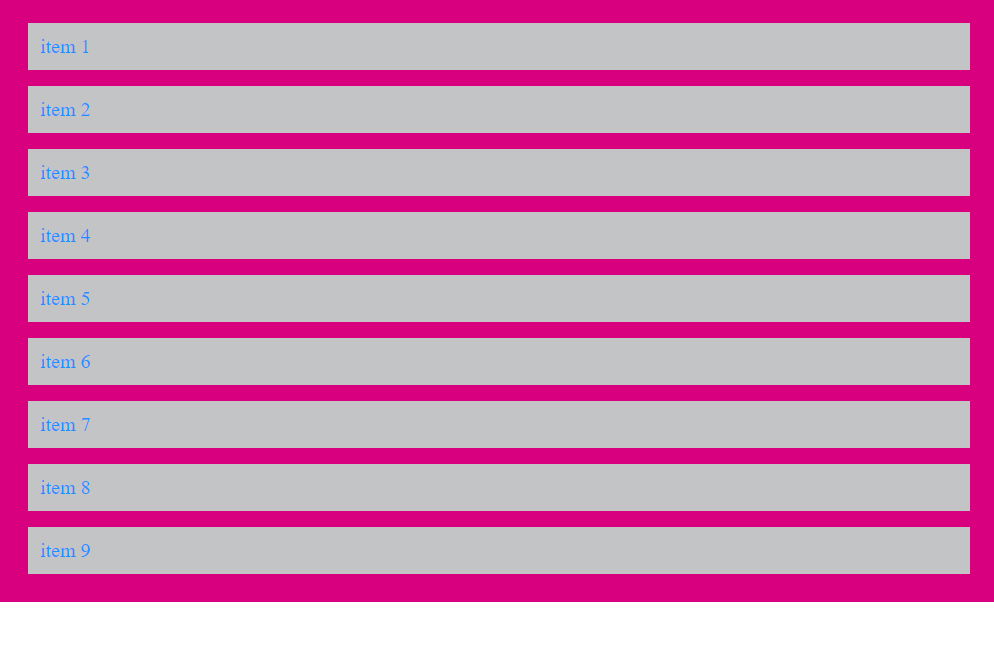
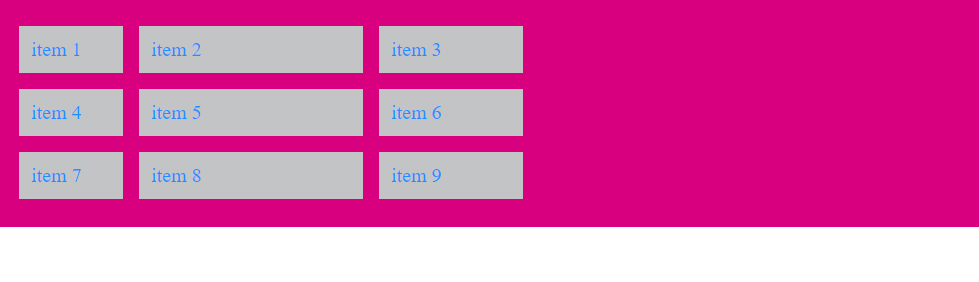
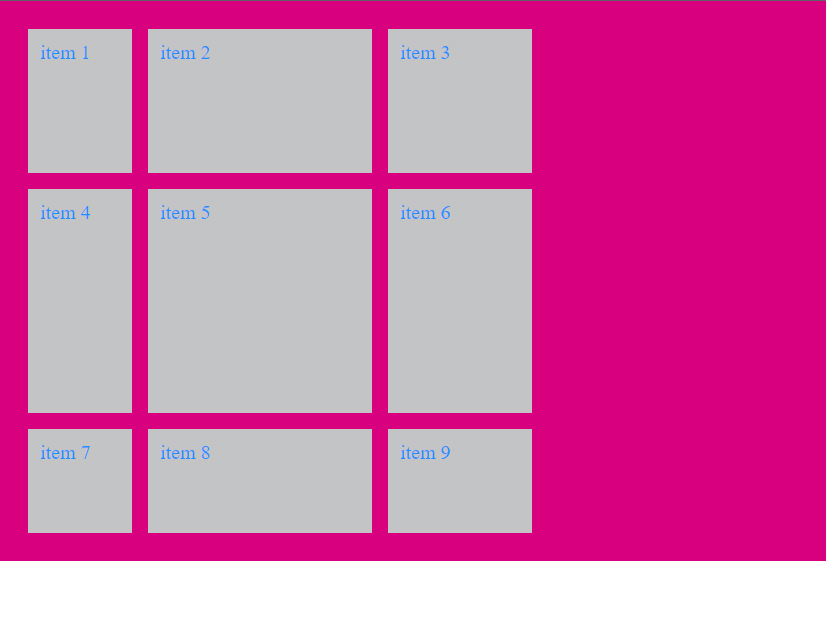
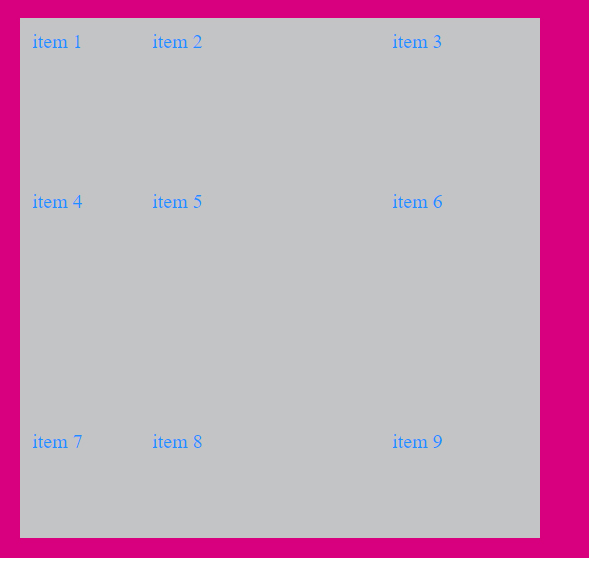
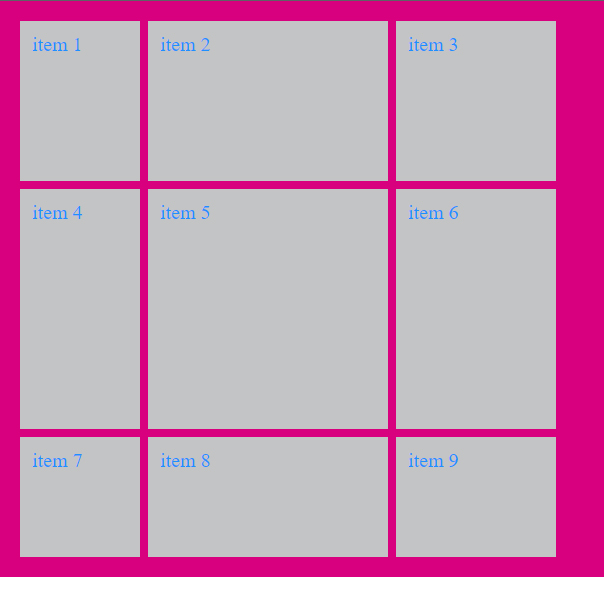
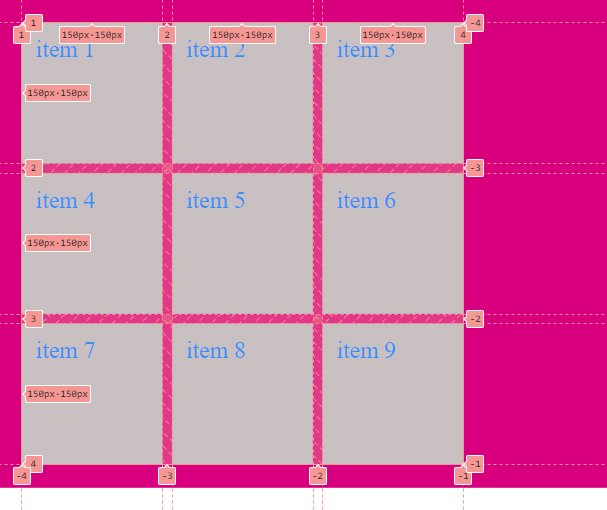
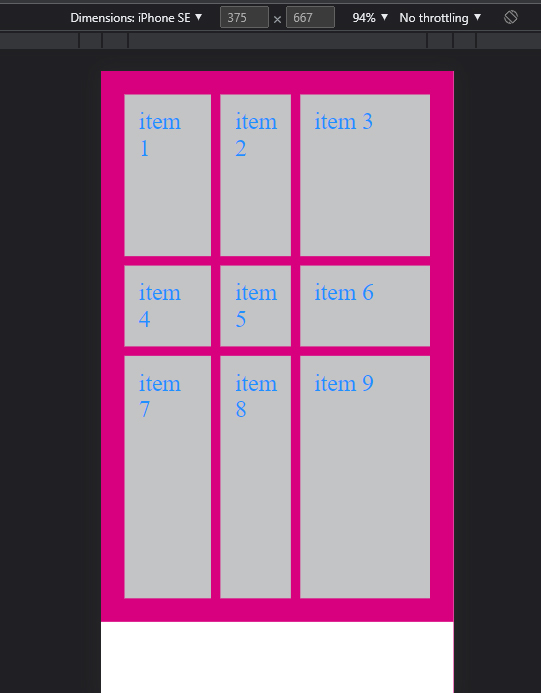
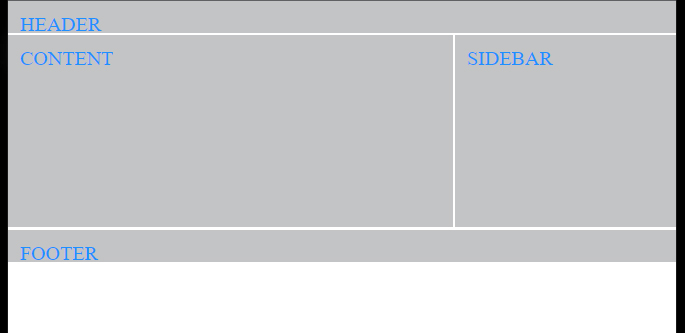
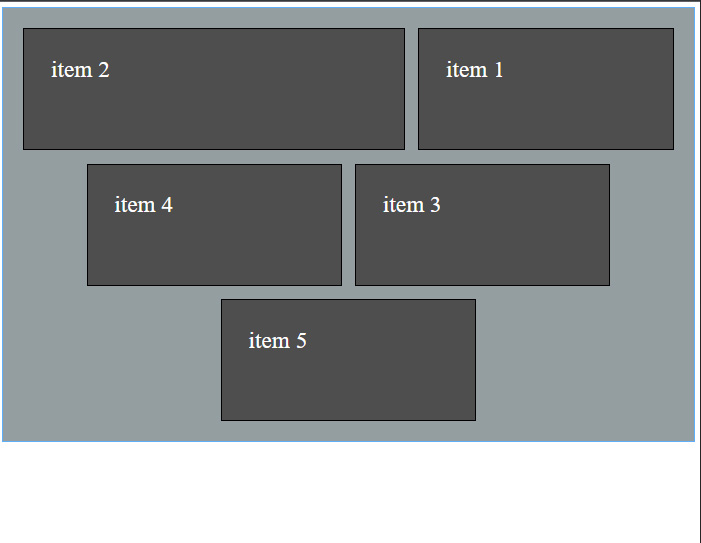
We can create a website template very easily with Grid. We can design the whole website with basic css methods such as float, display position or flexbox, but the Grid system is much easier. And it makes our job a lot easier. While Flexbox can do our one-dimensional coding, in the grid model, we can code in both dimensions. We usually use columns and rows when creating the grid structure. We do not have to use the css grid in all of our designs. For example we can make menus with flexbox. So we can make the general design of our page with css grid.
First of all, display: grid; we run the system. In other words, we give our items a grid feature.
Happy new year everyone. I hope your wishes come true in the new year. If you are a software developer, your education always continues. I'm currently developing myself on React. I hope I will be an expert react developer in the new year. I am in a great desire to learn given by my goals in the new year. Also, I am filled with an energy that I cannot stop in order to realize myself. This year, I will undertake very important projects. There will be tremendous changes in my life. I'm excited about what I'm about to accomplish.
2022 was the year of sports and software for me, and so will 2023. Since 2020, I have been devoting more time to my education. Learning new technologies gives pleasure and motivates people. We are in an ocean and there are many places to go. We can't always know everything. It's fine to say I don't know. I have been involved in many software and graphic design projects. I designed a magazine, catalog, brochure, business card logo, but there is still a lot I don't know in the field of graphics. I have coded a lot of software programs and websites, but there is still much that I do not know in the field of software. So I will continue to learn in the new year.
It's nice and important for a person to have goals. If you have no purpose in this life, the best advice I can give you is to use your mind. Because a person without a purpose does not use his mind. When you use your mind, you will find your purpose. Anyway, I don't want to write a personal development article. I wish you all a good year. Make 2023 the year you get everything you want. Good luck to everyone in the new year.
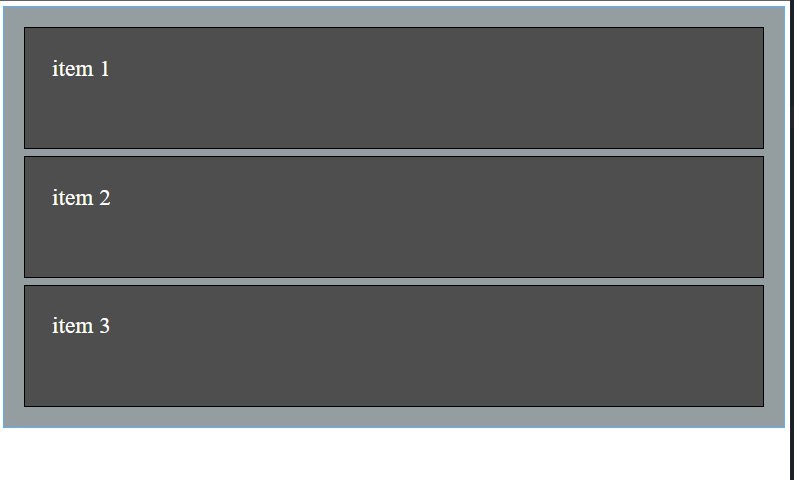
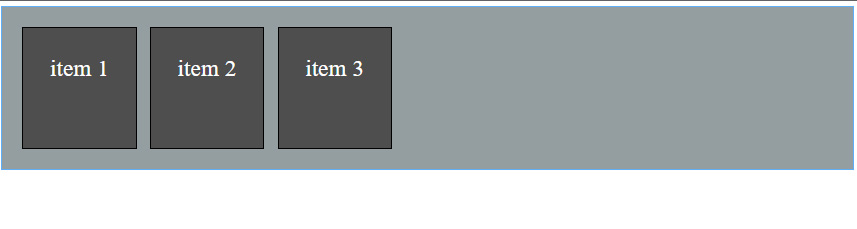
Why is Flexbox used? It allows us to design our website much more easily and effectively. With Flexbox, we can easily spread the width, height and order of the html elements to the field. Flexbox does this automatically for us without any overflow. Also, we can direct our items as we want. We can apply properties such as float, position, that we use in classical css very simply with flexbox. what we need to do is display: flex; write our code
flex - direction;
We can list the items listed side by side one under the other
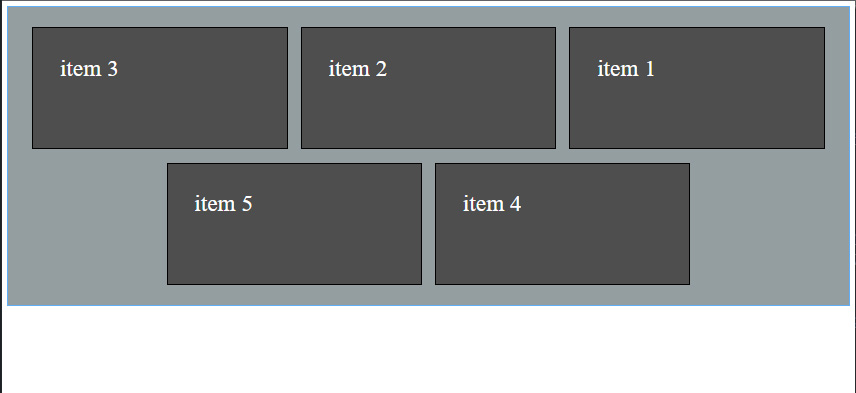
justify - content;
We can sort our items horizontally. We can give a certain distance between the elements and bring them to the beginning and the end.
flex - wrap;
when the screen width gets smaller our items go to the bottom
align - items;
We can align vertically.
align - content;
we can adjust the distance between each row.
align - self;
We can move each element individually.
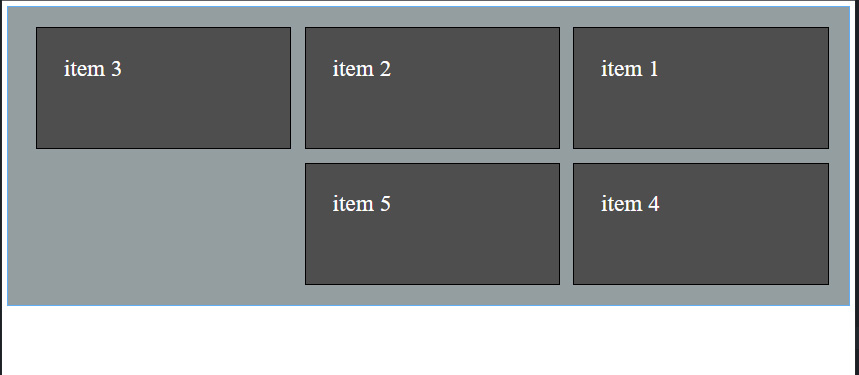
order;
we can sort
flex-grow:0
We can adjust how much our items grow when containers grow.
flex-shrink:1
We can adjust how much our items shrink when containers shrink.
we can initially give width attribute to each element.
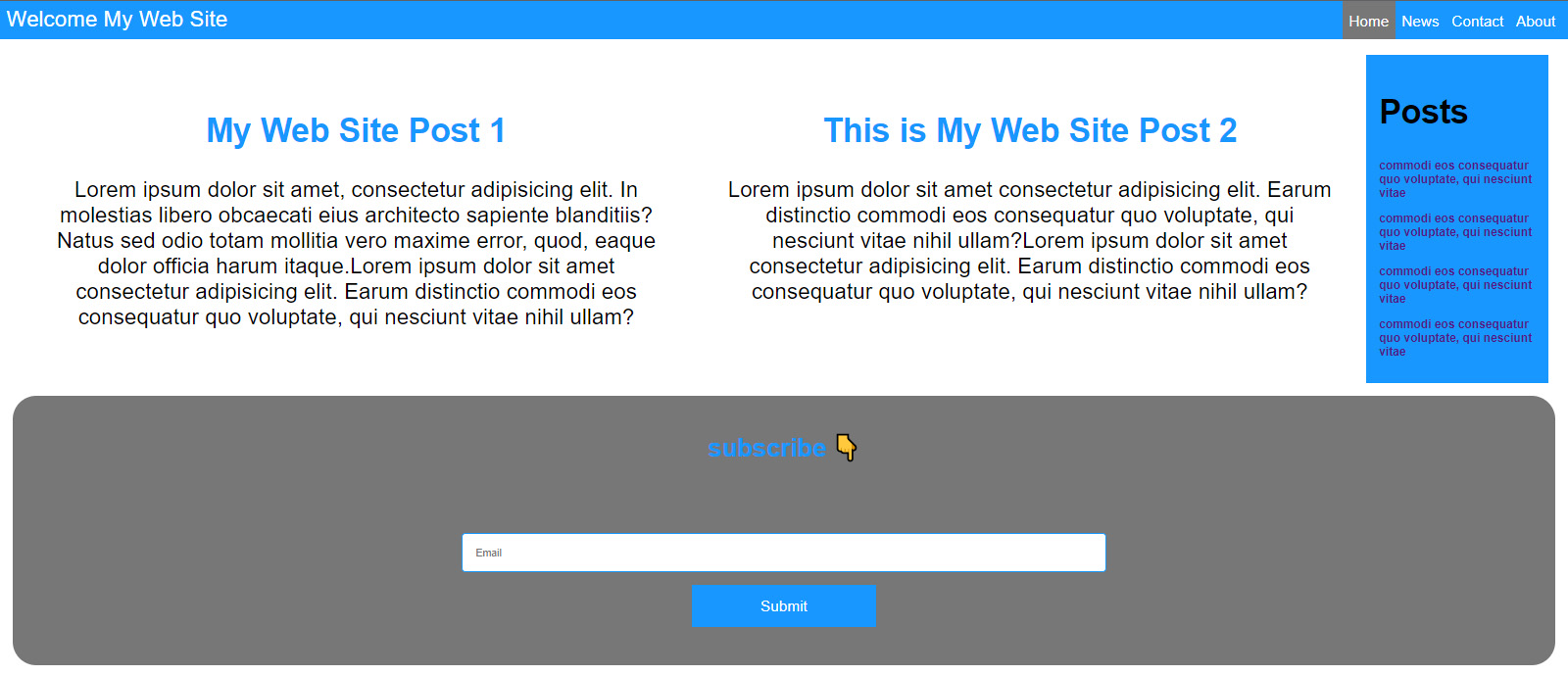
Let's create the containers and items of our web page.
<!DOCTYPE html>
<html lang="en">
  <head>
    <meta charset="UTF-8" />
    <meta http-equiv="X-UA-Compatible" content="IE=edge" />
    <meta name="viewport" content="width=device-width, initial-scale=1.0" />
    <link rel="stylesheet" href="style.css" />

    <title>Flexbox Web Site</title>
  </head>
  <body>
    <div class="header">
    <div class="slogan">Welcome My Web Site</div>
      <nav class="menu">
        <ul class="links">
          <li class="link"><a href="#home">Home</a></li>
          <li class="link"><a href="#news">News</a></li>
          <li class="link"><a href="#contact">Contact</a></li>
          <li class="link"><a href="#about">About</a></li>
        </ul>
      </nav>
    </div>

    <main class="m-container">
      <div class="m-item">
        <h2>My Web Site Post 1</h2>
        <p>
          Lorem ipsum dolor sit amet, consectetur adipisicing elit. In molestias
          libero obcaecati eius architecto sapiente blanditiis? Natus sed odio
          totam mollitia vero maxime error, quod, eaque dolor officia harum
          itaque.Lorem ipsum dolor sit amet consectetur adipisicing elit. Earum
          distinctio commodi eos consequatur quo voluptate, qui nesciunt vitae
          nihil ullam?
        </p>
      </div>
      <div class="m-item">
        <h2>This is My Web Site Post 2</h2>
        <p>
          Lorem ipsum dolor sit amet consectetur adipisicing elit. Earum
          distinctio commodi eos consequatur quo voluptate, qui nesciunt vitae
          nihil ullam?Lorem ipsum dolor sit amet consectetur adipisicing elit. Earum
          distinctio commodi eos consequatur quo voluptate, qui nesciunt vitae
          nihil ullam?
        </p>
      </div>
      <div class="latest">
        <h2>Posts</h2>
        <a href="#"><h3>commodi eos consequatur quo voluptate, qui nesciunt vitae</h3></a>
        <a href="#"><h3>commodi eos consequatur quo voluptate, qui nesciunt vitae</h3></a>
        <a href="#"><h3>commodi eos consequatur quo voluptate, qui nesciunt vitae</h3></a>
        <a href="#"><h3>commodi eos consequatur quo voluptate, qui nesciunt vitae</h3></a>

      </div>


    </main>

    <div class="subscribe">
      <h2>subscribe 👇</h2>
      <form action="#" class="form">
        <input type="text" placeholder="Email" />
        <button>Submit</button>
      </form>
    </div>
  </body>
</html>
When we send what we need to send to Github, there is an easy way to get it back. sometimes i can send wrong commit. That's when I immediately delete the commits and post them again. We can undo as many commits as we want from both local and remote repository.
The first code we will write will undo the local repository by one commit
git reset --hard Head~1
If you want to delete more commits, you can increase the number after Head~.
Now let's undo the commit from github too... This is very simple to do. We just add a plus to the beginning of the master in our git push origin master code.
git push origin +master
When you do this, we are doing a force update. So, we cleared both local and remote repository from the last commit.
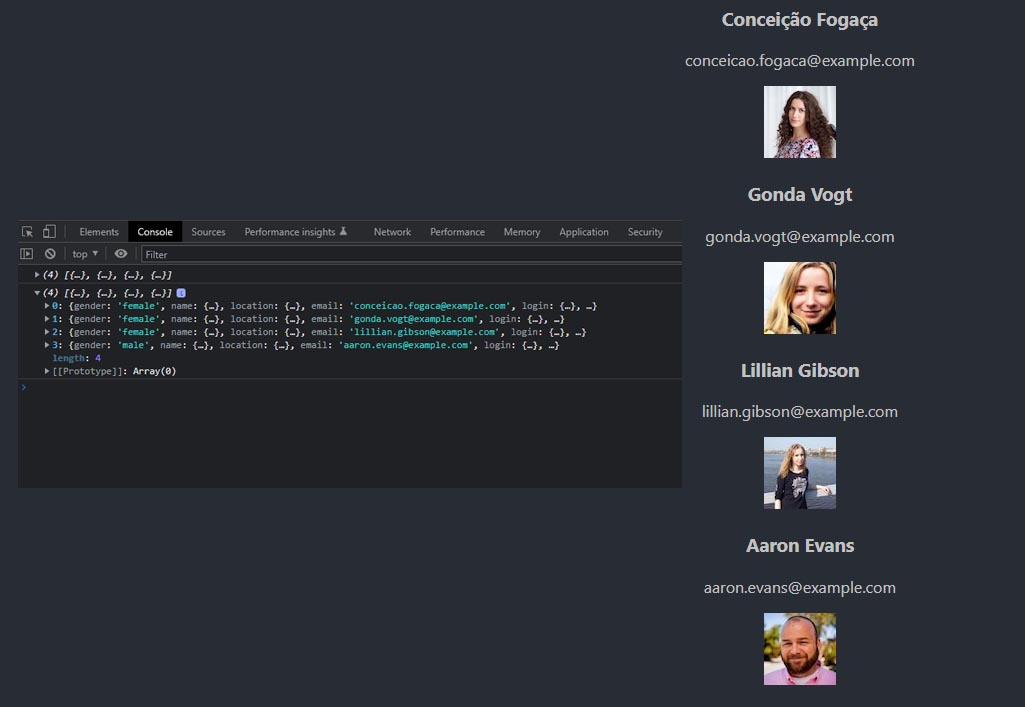
Pulling data from the api with React is very important because we almost always use
api requests in large projects. We can do this very easily with axios or fetch. I
prefer axious which is easier to use. So what are we going to do here? We will make
api request with axios or feth in useEffect. We use it in useEffect because it is
asynchronous. It is important what the answer from the api is. Since the answer here
is array, we initialize usState with an empty array. We also catch an error with
catch.
This game, which gives us a life almost like in the real world, is beyond legendary to me. Rockstar Games has produced this game perfectly. When I played this video game, I felt like I was living in a real life. It really sends you to another world. If I were to criticize and disparage the game, I would have nothing to say. I won't tell you what I found anyway
What I found in this game is excellent graphics, quality cinematic, nice dialogues with the characters, realistic story and more. I never got bored playing this video game. And then, none of the Missions seemed silly to me. It is very realistic and there are many details, for example, you modeled your hair short and when you want to grow it again, you expect your hair to grow like in real life Or If you do not take an animal you hunted to the butcher for a long time, the meat of the animal begins to rot and becomes worthless or If your horse is injured. And you cannot heal it, your horse dies etc.
There may be robbers who block your way in the game, and sometimes gangs of children can trap you or rich people trying to lock their dirty work on you. There is everything expected from such a world in this game. If you haven't played Red Dead Redemption 2 yet, you should.
ABOUT THIS GAME
America, 1899. The end of the wild west era has begun as lawmen hunt down the last remaining outlaw gangs. Those who will not surrender or succumb are killed.
After a robbery goes badly wrong in the western town of Blackwater, Arthur Morgan and the Van der Linde gang are forced to flee. With federal agents and the best bounty hunters in the nation massing on their heels, the gang must rob, steal and fight their way across the rugged heartland of America in order to survive. As deepening internal divisions threaten to tear the gang apart, Arthur must make a choice between his own ideals and loyalty to the gang who raised him.
From the creators of Grand Theft Auto V and Red Dead Redemption, Red Dead Redemption 2 is an epic tale of life in America at the dawn of the modern age.
SYSTEM REQUIREMENTS
MINIMUM:
Requires a 64-bit processor and operating system
OS: Windows 7 - Service Pack 1 (6.1.7601)
Processor: Intel® Core™ i5-2500K / AMD FX-6300
Memory: 8 GB RAM
Graphics: Nvidia GeForce GTX 770 2GB / AMD Radeon R9 280 3GB
Network: Broadband Internet connection
Storage: 150 GB available space
Sound Card: Direct X Compatible
RECOMMENDED:
Requires a 64-bit processor and operating system
OS: Windows 10 - April 2018 Update (v1803)
Processor: Intel® Core™ i7-4770K / AMD Ryzen 5 1500X
Memory: 12 GB RAM
Graphics: Nvidia GeForce GTX 1060 6GB / AMD Radeon RX 480 4GB
Network: Broadband Internet connection
Storage: 150 GB available space
Sound Card: Direct X Compatible
It is used to reduce the array to a single value and does not change the original array. We can do everything we do with map, filter, find with this structure. The easiest example to understand is to return the sum of all elements in an array with reduce. First, let's find the sum of the elements of this array using the classical method.
const numbers = [1, 2, 3, 4, 5];

function result() {
  let total = 0;
  for (let i = 0; i < numbers.length; i++) {
    total = total + numbers[i];
  }
  console.log(total);
}

result();
Initial value must be an empty array. then we got the current number multiplied by two with push.
normally push returns the new element count after adding an element. Here we are coding it to send an array back. so the point here is to send a string back, not a number.